
Reports
Reports answer two questions: how much support volume you are handling, and how well it is being handled. This page defines every metric precisely, so you can trust the numbers rather than guess at them.
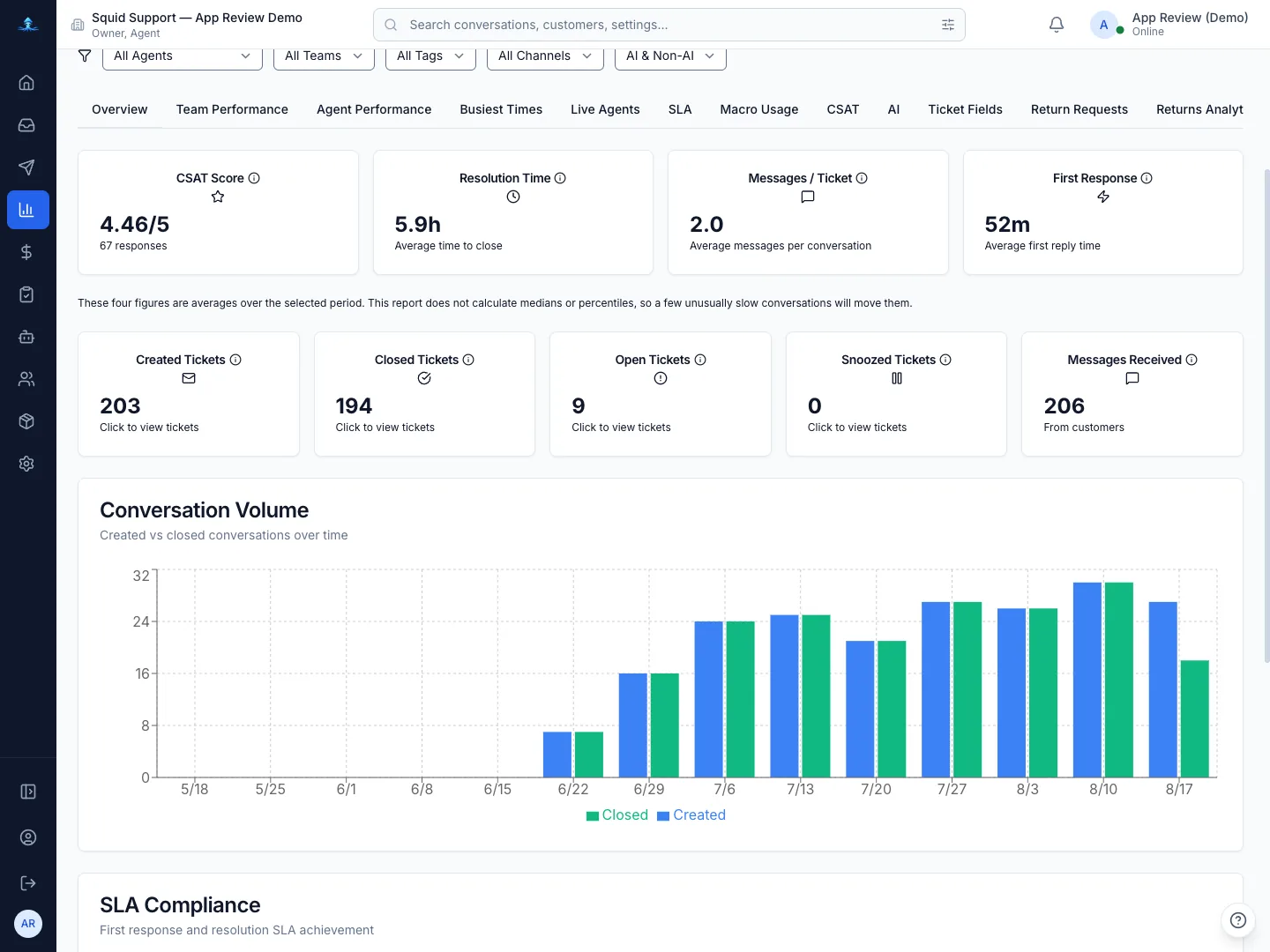
Date range, filters and time zone
Every report is scoped by a start and end date, with 7-day, 30-day and 90-day presets. Alongside the range you can narrow by brand, agent, team, tag and channel, and separate AI-handled conversations from human-handled ones.
Times are shown in your browser's time zone, and the page tells you which one it is using. If a colleague in another country sees slightly different daily buckets, this is why.
How the range is applied — read this once
Almost every conversation count is anchored to the date the conversation was created, not the date it changed state. So "Closed Tickets" means *conversations created in this range that are now closed* — not conversations closed during the range.
This is deliberate: it makes the totals internally consistent, so the daily figures in the charts sum to the totals on the cards. The practical consequence is that a ticket created just before your range and closed inside it will not appear in the closed count. If you are reconciling against another system, match on creation date.
Two metrics are anchored differently, because anchoring them to the conversation would be misleading: CSAT is anchored to when the rating was submitted, and message counts to when the message was sent.
Overview metrics
Because the status counts are a snapshot of *current* state, they move even for a range in the past: close an old ticket today and yesterday's closed count goes up. Created Tickets and Messages Received are the two figures that never change retrospectively.
The other tabs
Exporting
Every tab has an Export CSV action that exports the current tab with the filters you have applied — not the whole account. Change the range or brand first, then export. Files are named for the tab and date range so they stay distinguishable in a downloads folder.
If a number looks wrong
- Check the brand filter. With several brands, an unfiltered view mixes them and a filtered one can look surprisingly small.
- Check whether you expected creation-anchored or closure-anchored counting — this explains most apparent discrepancies.
- For averages, remember the excluded rows: unanswered conversations are absent from First Response, and open conversations from Resolution Time.
If it still does not reconcile, email [email protected] with the report, the date range and the filters you used. See also Troubleshooting and The AI agent.